Free beta · v1.2.7
RiX Desktop Studio Pro

AI video, right on your desktop.

Generate video from a prompt or an image, direct performances, and edit — built on LTX‑2, running on your machine or in the cloud.

Download for Windows 165 MB · Win 10/11 No graphics card? Runs in cloud API mode.
Free during beta Local or cloud generation No account to install
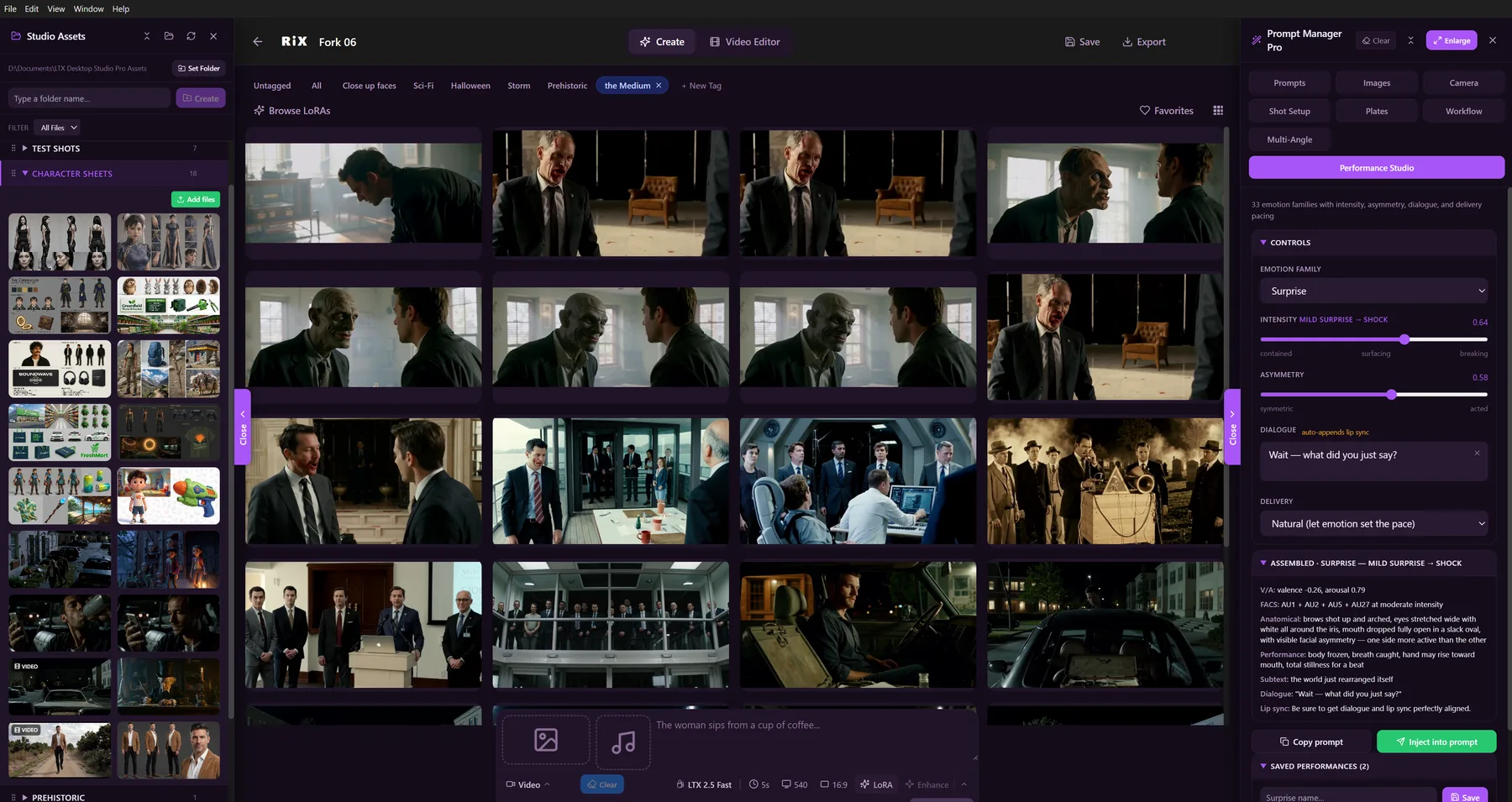
RiX Desktop Studio Pro — a gallery of cinematic AI-generated shots beside the Prompt Manager Pro / Performance Studio panel
The actual app

Heads up: this beta isn't code‑signed yet, so Windows will warn about an "unknown publisher." That's expected — when you run the installer, click More info → Run anyway. Totally safe.

Up and running in four steps

About ten minutes, most of it the one‑time engine download.

1

Download & open

Grab the installer above. If your browser hides it, choose Keep.

2

Run anyway

At the blue Windows screen, click More info → Run anyway, then install.

3

First launch

Accept the license. It downloads the engine (~3 GB) once.

4

Create

On a GPU, models download. No GPU? Paste your LTX API key and go.

Two ways it runs

Completely free on a capable GPU — or on almost any PC for about $0.54 a clip. The app checks your hardware on first launch and picks automatically.

With a GPU ✓ Free · unlimited

Generate locally

A capable NVIDIA GPU runs everything on your own machine — no cloud, no per‑clip cost, generate as much as you want. This entire beta was built and tested on an RTX 3090.

Recommended GPURTX 3090 / 4090 · 24 GB
Minimum GPUNVIDIA · 16 GB VRAM
System RAM32 GB (64 GB ideal)
Free disk~150 GB SSD
Any PC

No GPU? Use the cloud

Lighter laptop, or no NVIDIA card? It generates through the LTX cloud instead — the same models, none of the hardware — so it runs on almost any Windows PC.

Cost≈ $0.54 / 6‑sec clip
You providean LTX API key
Graphics cardnot required
Billingpay‑as‑you‑go

What you'll need

  • Windows 10 or 11, 64‑bit.
  • For local generation: an NVIDIA GPU, 16 GB+ VRAM, and room for the models.
  • For cloud mode: any PC and an LTX API key.
  • ~5 GB free for the one‑time engine download.

Hit a snag?

If the app won't open or something looks off, send the log — it says exactly what happened. You'll find it at:

%LOCALAPPDATA%\LTXDesktop\logs

Open the newest file, copy the last ~100 lines, and include your Windows version and GPU (or "no GPU").

Download for Windows 165 MB · Win 10/11 · Free